- Apps
- Premium
-
VPN Locations
- Help
- Sign up
- Sign in
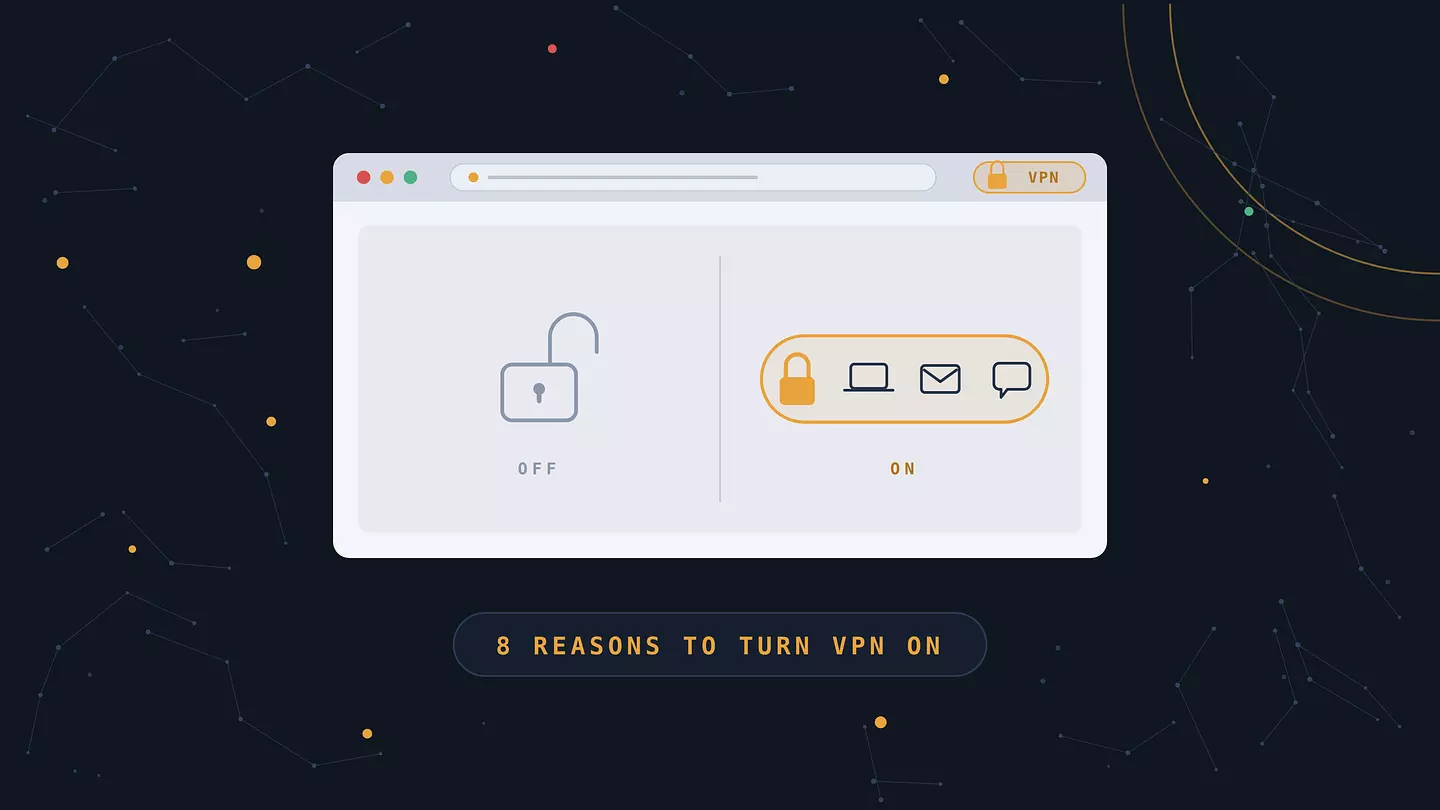
8 Good Reasons to Use a VPN, and the Limits Nobody Mentions
Contents
A VPN encrypts the traffic leaving your device and sends it through a server somewhere else. Websites then see that server's address instead of yours, and your internet provider sees an unreadable stream instead of a tidy list of everywhere you've been.
People switch one on for privacy from their ISP, for safety on hotel and airport Wi-Fi, to reach sites blocked where they happen to be standing, and to stop their location from quietly setting the price they pay. It's a useful tool with a specific job. It also won't rescue you from a convincing phishing email, and anyone selling it as all-purpose armor is overselling.
What a VPN does to your connection
Without one, your traffic takes a simple path: your device, your provider, the website. Your provider routes all of it, which means it can log which sites you opened and when. The website records your IP address, the number your provider assigns your connection that points to your approximate location and ties back to your account.
A VPN inserts an encrypted tunnel into that path. "Tunnel" gets thrown around in marketing copy, but it's a fair description. Your data is wrapped in encryption on your own device, passes through your provider still wrapped, and is unwrapped only once it reaches the VPN server. Your provider can still see that you're online and how much data you're moving. It can't see what's inside or where it's headed.
From there the VPN server makes the request for you. The site logs the server's IP address. If that server sits in Frankfurt, that's where you appear to be browsing from.
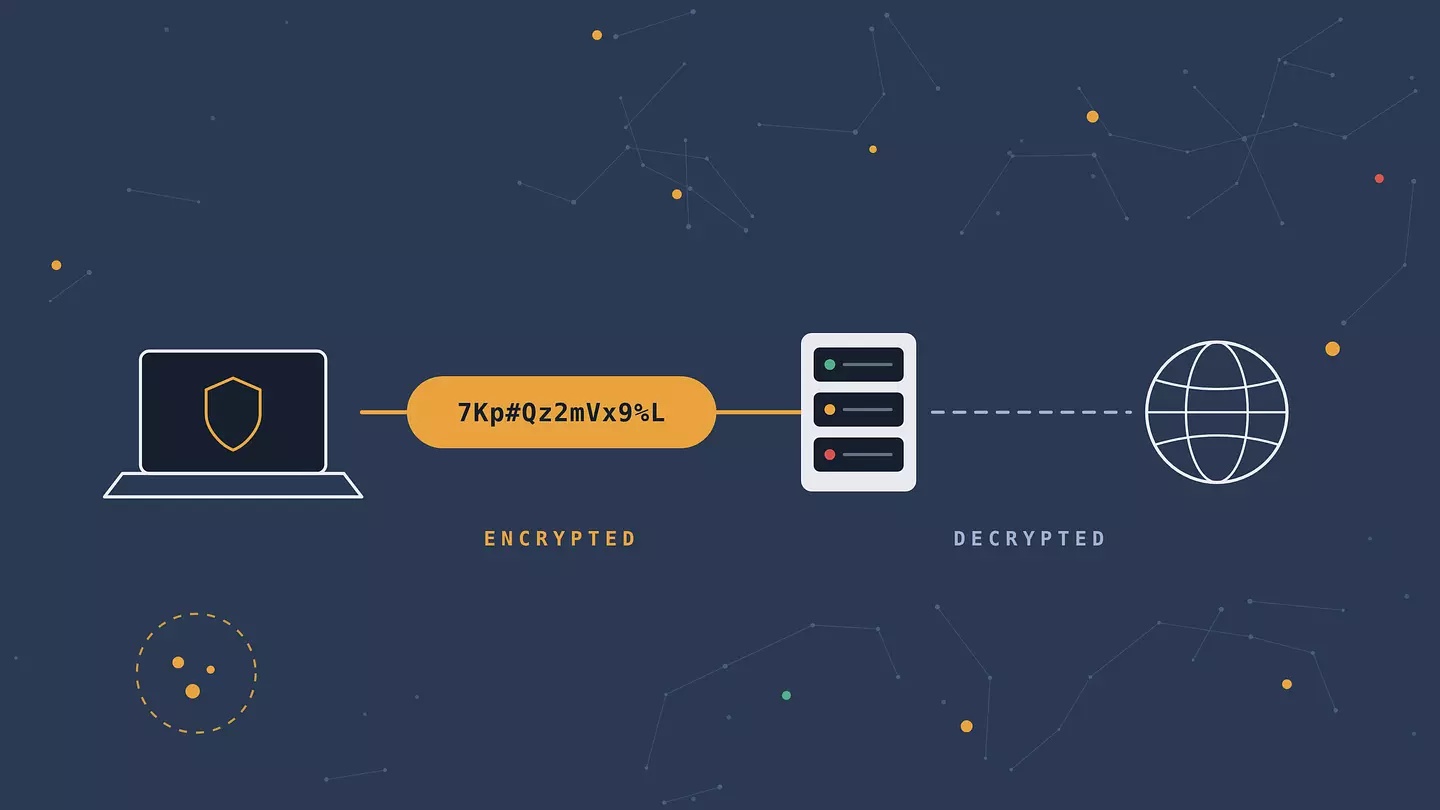
How solid the wrapping is depends on the protocol doing the encrypting, whether that's WireGuard, OpenVPN, or IKEv2. We broke those down in what is a VPN protocol.
Eight reasons people actually turn one on
1. Your provider stops seeing every site you open
By default your ISP holds a complete record of the domains you visit. Not the contents of your messages, since almost everything runs over HTTPS now, but the destinations, the timestamps, and how long you stayed.
What happens to that record depends on where you live. In the US, Congress repealed the FCC rules that would have required providers to ask permission before selling browsing data. In the EU, GDPR and national retention laws set tighter limits. Either way it's a log you never asked anyone to keep, and a VPN takes your ISP off the list of people holding it.
2. Café and hotel Wi-Fi gets a lot safer
Public networks are why many people install a VPN in the first place, though the reasoning has shifted over the years. The classic scare, someone at the next table plucking your password out of the air, matters less now that HTTPS covers nearly the whole web.
The live risk is the network itself. An attacker sets up a hotspot with a plausible name like "Airport_Free_WiFi", and every device that joins routes its traffic through their hardware. From there they can watch which sites you connect to, steer you toward fake login pages, and tamper with anything not properly encrypted. A VPN cuts that off, because your traffic is sealed before it ever touches their equipment.
Worth knowing: in a 2025 survey, 66.5% of people said public Wi-Fi worried them, and roughly one in four connected anyway with no VPN or antivirus running. Concern is nearly universal. Protection isn't. More on this in is public Wi-Fi actually safe to use.
3. Blocked sites and services open up
A lot of the web is unavailable depending on where you are. Governments block news outlets, messaging apps, and social platforms. Employers and schools block whatever they've classed as a distraction. Services themselves refuse connections from certain countries, sometimes over licensing, sometimes over sanctions compliance.
Because a VPN routes your traffic through a server elsewhere, the block usually doesn't apply. This is why VPN installs in a country spike within hours of a new restriction taking effect. We track the scale of it in our internet censorship statistics.
One caution: rules on VPN use itself vary by country, and a handful restrict or ban them outright. If you're somewhere with tight controls, check the local situation rather than assuming.
4. You see the price other countries see
Plenty of companies price by geography. Software subscriptions, streaming plans, and airline fares can all land differently depending on the country your IP points to. Spotify and YouTube Premium cost several times more in Western Europe than in parts of South America or South Asia. Hotel and flight sites have been caught adjusting quotes based on location and repeat visits.
Switching your apparent location shows you what everyone else is being quoted. Two honest caveats. Payment method and billing address usually have to match the region, so a lower price isn't automatically a price you can pay. And the terms of service on some subscriptions prohibit signing up from outside your actual country.
5. Advertisers lose one of their easier identifiers
Your IP address is one of the more durable signals in ad tracking. It stays put for a while, it maps to a household rather than a single browser, and it links your laptop to your phone to your TV without needing a cookie at all. Third-party cookies have been getting harder to rely on, which has made IP-based matching more valuable, not less.
Rotating through a shared VPN address breaks that link. You aren't invisible, and we'll get to why shortly, but you've removed the identifier that used to stitch your devices together.
6. Your streaming library travels with you
Catalogs are licensed country by country, so the same Netflix subscription shows a different set of titles in Warsaw than it does in Toronto. Sports rights are worse: a match that's on free national broadcast at home can be behind a paywall or blacked out entirely once you cross a border.
A VPN puts you back in your home catalog while you're away. Be aware that the big platforms actively hunt for VPN traffic and block whole ranges of server addresses, so this works less reliably than everything else on this list.
7. Throttling gets harder to pull off
Some providers slow specific kinds of traffic rather than the connection as a whole. When researchers at Northeastern University ran the Wehe project, they found every major US wireless carrier throttling video around the clock, not only when networks were congested. AT&T slowed roughly 70% of the Netflix tests it saw and 74% of the YouTube ones.
That kind of throttling depends on identifying the service, which encryption makes much harder. Set expectations correctly though: if your plan caps your total speed after a data threshold, a VPN changes nothing, and routing through an extra server always costs a little raw throughput.
8. Networks you don't control
Hotel Wi-Fi, coworking spaces, a client's guest network, campus internet. Each one is administered by someone whose priorities aren't yours, and plenty of them run filtering or logging you'll never see documented anywhere.
If you work remotely and handle anything sensitive, this is less a privacy preference than basic hygiene. Same goes for anyone travelling with a work laptop.
Browser extension or whole-device VPN?
Most articles skip this, which is odd, because it's the first real decision you make. A browser extension protects one browser. A device-wide client captures everything the machine sends. A proxy does something narrower than either.
Browser extension | Device-wide VPN | Proxy | |
|---|---|---|---|
What it covers | Traffic from one browser | Every app on the device | Whatever you configure, usually one browser or app |
Encryption | Yes, for browser traffic | Yes, for all traffic | Often none |
Setup | Install, click, done | Install a client, approve a system profile | Manual settings per app |
Speed impact | Small, only browser traffic is routed | Larger, everything is routed | Small |
What still leaks | Other apps, system updates, torrent clients | Very little at the network layer | DNS, plus anything unencrypted |
Best for | Everyday browsing, unblocking sites, quick switching | Full-device privacy, remote work, mobile data | Simple location changes with no privacy requirement |
For most people reading a page like this, an extension covers what they actually do, which is browse. If you handle client data, use apps outside the browser, or want your phone's entire connection covered, go device-wide. The difference between a VPN and a proxy trips up a lot of people, and it matters: we untangled it in proxy or VPN.
What a VPN won't do
This is the section most competitor pages leave out, and leaving it out is exactly how people end up with a false sense of security.
It won't stop phishing or malware. Type your bank password into a fake login page and the encryption will dutifully protect that password all the way to the attacker. A VPN secures the pipe. It doesn't vet who's at the other end.
It won't hide you from services you're logged into. Sign into Google, Facebook, or Instagram and you've identified yourself. Your IP address is now the least interesting thing they know. Everything you do while signed in attaches to your account regardless of which country your traffic appears to come from.
It won't defeat browser fingerprinting. Your screen resolution, installed fonts, time zone, graphics hardware, and extension list combine into a signature that's often unique to you. Trackers like it precisely because it survives both IP changes and cleared cookies.
It won't make illegal things legal. Changing your apparent location doesn't change which laws apply to you.
It doesn't remove trust, it moves it. You've taken your browsing out of your ISP's hands and put it in your VPN provider's. That's an upgrade only if the provider deserves it, which brings us to the next part.
Free or paid?
Running a VPN costs real money: servers, bandwidth, engineers. If you're not paying, that cost is being covered some other way.
The research here is blunt. Zimperium's zLabs examined close to 800 free VPN apps across Android and iOS and found 88% of the Android ones leaking data through IPv4, IPv6, DNS, or WebRTC, and 71% passing personal data to third parties including data brokers. Dozens transmitted information in plain text. A few still shipped OpenSSL versions vulnerable to Heartbleed, a bug from 2014. Between them, the flagged apps had been installed more than 2.4 billion times.
That doesn't make every free tier a scam. A free plan from a company whose actual business is selling subscriptions works differently from a free app whose only revenue is you. What to look for: a real company behind the product, not an anonymous developer account; a paid plan, so the business doesn't need to make money from your data; and permissions that fit a VPN. If a VPN asks for your microphone, or for your location at all times, that's a warning sign.
Browsec Free vs Premium
See what you get when you upgrade: faster speeds, more locations and full protection on every device.
Free
$0.00 per month
- Military-grade encryption
- No ads
- 1000 Mbit/s
- 1,000+ servers in 46+ countries
- Desktop app for full computer protection
Works in Chrome, Firefox,
iOS and Android
iOS and Android
Premium
Only $2.99 per month
- Military-grade encryption
- No ads
- 1000 Mbit/s
- 1,000+ servers in 46+ countries
- Desktop app for full computer protection
Risk Free Money-Back Guarantee 7-Day
So do you actually need one?
Honest answer: it depends more on how you use the internet than on how worried you are.
You'll get real value if you use public or shared Wi-Fi with any regularity, travel, live somewhere with blocking, work remotely on networks you don't administer, or simply don't want your provider keeping a browsing log. In those cases a VPN solves a specific problem well.
The case is thinner if you're always at home on your own router, stick to mainstream HTTPS sites, and spend most of your time inside accounts you're logged into anyway. You'd still gain something, since your ISP stops collecting that log, but it's a smaller win and pretending otherwise would be dishonest.
If you're somewhere in between, the low-commitment version is a browser extension. Install it, leave it off by default, switch it on for public Wi-Fi and blocked sites. That covers the moments when it matters without slowing anything down the rest of the time.
FAQ
Is it legal to use a VPN?
In most countries, yes. VPNs are standard business tools and using one is entirely ordinary. A small number of countries restrict or ban unapproved VPN services, and penalties vary. Check the rules where you are rather than assuming.
Does a VPN slow down your internet?
A little, always. Your traffic takes a longer route and gets encrypted along the way. On a modern protocol with a nearby server, the loss is usually small enough to go unnoticed. Picking a server on another continent is what makes it obvious.
Does a VPN make me anonymous?
No. It hides your IP address from the sites you visit and hides your destinations from your provider. It doesn't hide you from services you're signed into, from browser fingerprinting, or from your VPN provider itself. Anonymity is a much taller order than privacy.
Do I need a VPN at home?
It's optional. The main gain at home is that your provider stops logging which sites you visit. If that bothers you, or you want to reach something blocked in your country, it's worth it. If neither applies, the case is weaker at home than on public Wi-Fi.
Can my provider tell I'm using a VPN?
Yes. It can see encrypted traffic going to a known VPN server address. It can't see what's inside or which sites you're actually visiting.
Is a free VPN safe?
Some are, many aren't. The Zimperium research above found the majority of free apps leaking data or sharing it with third parties. A free tier from an established paid provider is a different proposition from a standalone free app with no visible business model.
Cite this article
Browsec. "8 Good Reasons to Use a VPN, and the Limits Nobody Mentions." Browsec Blog, August 23, 2026, https://browsec.com/en/blog/why-use-a-vpn.